pAInapple Code
A WebUI wrapper for Claude Code — a Python bridge that runs the CLI as a subprocess and serves a vanilla-JS PWA on top, over a WebSocket chat stream and a REST API. Use Claude Code from any browser, with an auto-journal of every turn.
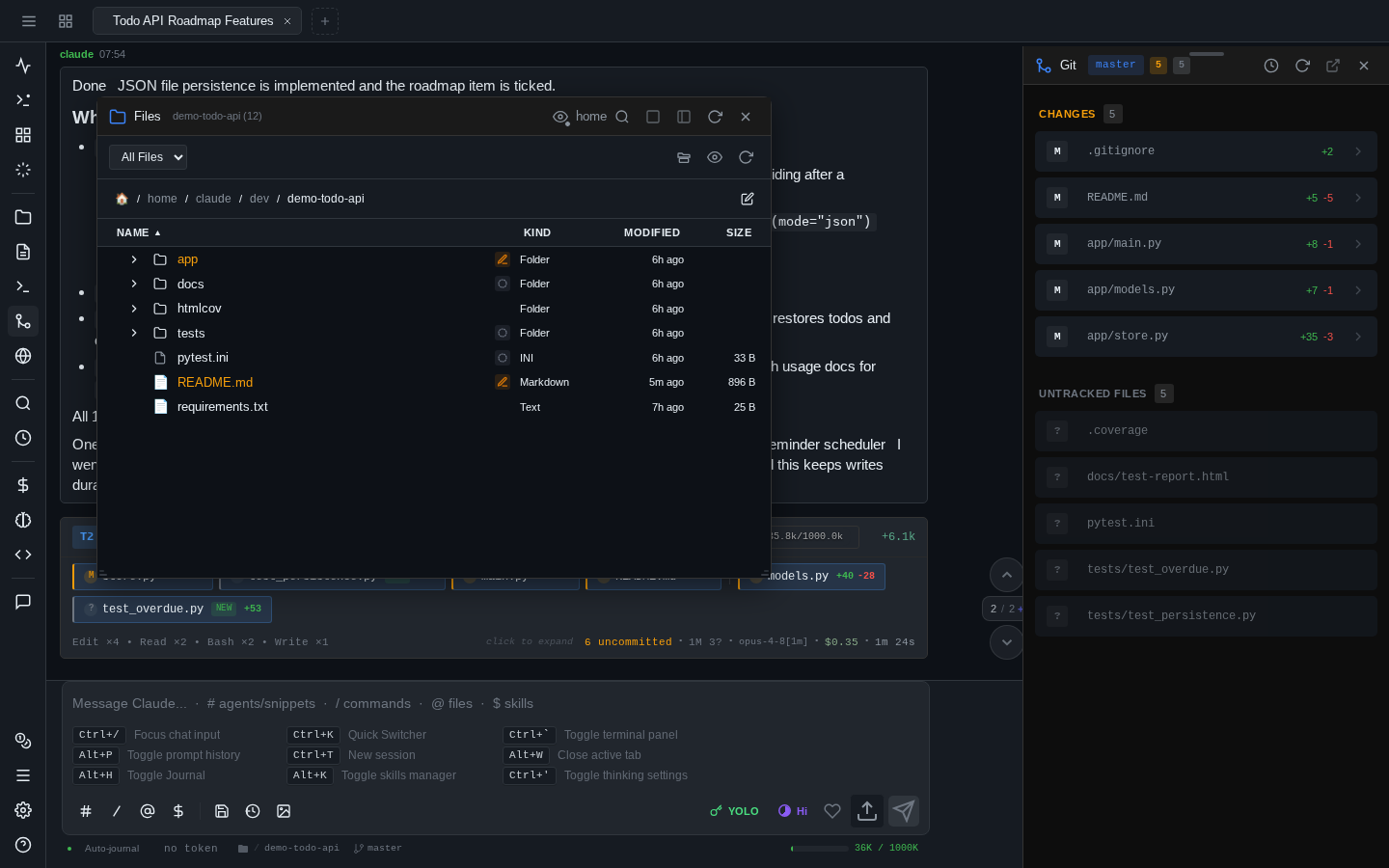
The desktop browser is the primary target, but the UI is mobile-friendly enough to install as a PWA on iOS and Android. Roughly a third of this app was developed on an iPhone, and the rest on an iPad with a hardware keyboard.
Read the security notes first
This is an MVP and it is very YOLO-oriented: the embedded terminal is a real PTY running as the server user, and the best experience comes from permissive Claude permission modes. Run it isolated (Docker, VM) and read Read this first before exposing it to anything.
What it is — and what it isn't
It is a thin wrapper around Claude Code. Every prompt is streamed to the CLI via --input-format stream-json --output-format stream-json, and sessions you create here can be resumed in the regular CLI with claude --resume <id>.
It is not an AI agent of its own. It does not modify your prompts, inject planning steps, parallelize work, or change Claude's behavior. The one exception is the optional shadow-git-helper agent, which knows how to query the Shadow Git history.
Get started
- Install with Docker / Podman — the recommended path: isolation included, one command to start.
- Install with pip / pipx — run directly on your machine if you know what you're doing.
- Dev Containers & Codespaces — add it to any devcontainer as a Feature.
- First run & login — the generated password, the login URL, and your first session.
Highlights
- Shadow Git auto-journal — every turn is committed to a parallel git repo with a Haiku-generated structured summary, searchable forever.
- Multi-session tabs — several concurrent Claude sessions, browser-style tabs, sessions survive page refresh and network drops.
- Embedded terminal — a real PTY with xterm.js, persistent across refresh, with a mobile keyboard extension bar.
- Comments stash & discussions — annotate any paragraph of a response and attach it to your next prompt, or fork a side-thread about it.
- Cost analytics & prompt history — spend breakdowns per model/tool/session, and full-text search over every prompt you ever sent.
- Images & annotation — paste screenshots, draw arrows and markers on them before sending.
- Installable PWA — works as a standalone app on iPad, iPhone, Android, and desktop.
The full list lives in the features overview.